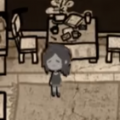
\u003cp align=\"center\" style=\"text-align: center; text-indent: 0px;\">\u003cimg src=\"https://media.9game.cn/gamebase/ieu-gdc-pre-process/images/20230209/8/8/565d3a50c5f1f0f89d2f2baada03fc49.png\" alt=\"我的世界珍妮模组怎么导入\">\u003c/p>\n\u003ch3> 我的世界珍妮模组怎么导入 \u003c/h3>\n\u003cp>\u003cspan>\u003cstrong>答:\u003c/strong>\u003c/span>下载后激活资源包和行为包就行。\u003c/p>\n\u003cp>1、我们先下载珍妮模组然后安装(\u003cspan>下载地址\u003c/span>)。\u003c/p>\n\u003cp align=\"center\" style=\"text-align: center; text-indent: 0px;\">\u003cimg src=\"https://media.9game.cn/gamebase/ieu-gdc-pre-process/images/20230209/5/5/d036365e836503f569a8f093f1d62db7.png\" alt=\"我的世界珍妮模组怎么导入\">\u003c/p>\n\u003cp>2、然后我们进入游戏中,可以看到上方已经在导入模组了。\u003c/p>\n\u003cp align=\"center\" style=\"text-align: center; text-indent: 0px;\">\u003cimg src=\"https://media.9game.cn/gamebase/ieu-gdc-pre-process/images/20230209/6/6/c14f7929f3887888982fcb335ff6411d.png\" alt=\"我的世界珍妮模组怎么导入\">\u003c/p>\n\u003cp>3、等待导入完成后我们创建世界,选择自己想要开启的功能。\u003c/p>\n\u003cp align=\"center\" style=\"text-align: center; text-indent: 0px;\">\u003cimg src=\"https://media.9game.cn/gamebase/ieu-gdc-pre-process/images/20230209/6/22/018773bcdf777912ff8e624fb4b5913b.png\" alt=\"我的世界珍妮模组怎么导入\">\u003c/p>\n\u003cp>4、然后点击左下角的资源包,将珍妮模组激活。\u003c/p>\n\u003cp align=\"center\" style=\"text-align: center; text-indent: 0px;\">\u003cimg src=\"https://media.9game.cn/gamebase/ieu-gdc-pre-process/images/20230209/10/26/e2f9c382f3c1eaeb35d08d2ab89f6467.png\" alt=\"我的世界珍妮模组怎么导入\">\u003c/p>\n\u003cp>5、再点击左下角的行为包再次激活珍妮模组。\u003c/p>\n\u003cp align=\"center\" style=\"text-align: center; text-indent: 0px;\">\u003cimg src=\"https://media.9game.cn/gamebase/ieu-gdc-pre-process/images/20230209/0/16/e18b9508f2da0a3f91c327523c3e5aa0.png\" alt=\"我的世界珍妮模组怎么导入\">\u003c/p>\n\u003cp>6、最后点击创建可以可以生成有珍妮模组的世界了。\u003c/p>\n\u003cp align=\"center\" style=\"text-align: center; text-indent: 0px;\">\u003cimg src=\"https://media.9game.cn/gamebase/ieu-gdc-pre-process/images/20230209/5/5/a366ebf4ccb68d70d3303ec65cd778bd.png\" alt=\"我的世界珍妮模组怎么导入\">\u003c/p>
标题:怎么投入我的世界模组
链接:http://www.haimasoft.com/news/29193.html
版权:文章转载自网络,如有侵权,请联系删除!